
Electronic Logging Devices (ELD) for Trucks and Fleets
Automatic hours-of-service logging built for carriers
An electronic logging device (ELD) connects to a truck's engine and records Hours of Service automatically under 49 CFR Part 395. Top Tracking System supplies an FMCSA-registered ELD, a driver app, and built-in GPS tracking on one dashboard, backed by US-based support and no long-term contract.
What the Top Tracking System ELD does
Live truck location
The built-in GPS shows every unit on one map. Reroute around delays, send real ETAs, and confirm a stop without a phone call. Add GPS tracking for geofencing.
Automatic Hours of Service logs
The device records duty status, drive time, and the 30-minute break on its own. Automatic capture is what cuts form-and-manner and false-log violations, the two that hurt a CSA score fastest.
Driver behavior flags
Speeding, hard braking, and long idle events are scored by driver, so you coach the few who need it instead of the whole fleet. Lower idle also shows on the fuel bill.
Audit-ready reports
Pull HOS summaries, the unassigned-driving queue, and the full edit and annotation trail for any date range. It is the same packet a DOT auditor asks for.
Fits your dispatch workflow
HOS and location data can feed common dispatch and TMS tools, so planners see a driver's remaining hours before assigning the next load. We confirm the connection at setup.
Encrypted records, kept 6 months
Logs are transmitted and stored encrypted, and the required 6-month Records of Duty Status stay ready for an inspection or a DataQs challenge.
A driver app built for the cab
Status changes, DVIR, and the roadside transfer screen are a few taps each. Most drivers log correctly on day one, with no training day needed.
How an ELD works, in 3 steps
The unit plugs into the engine, records HOS, and puts usable logs in front of the driver and the office, before anyone asks for them.
- 01
Data collection
The device connects to the engine through a J1939 or J1708 adapter. Past 5 mph it records power, motion, drive time, engine hours, miles, and location.
- 02
Storage and transfer
Records are stored encrypted and synced to the dashboard over cellular. At an inspection the driver sends the file by web service, email, USB, or Bluetooth.
- 03
Logs and reporting
The dashboard builds the graph-grid log, the unassigned-driving queue, and HOS violation reports for review, audits, and export. The driver still owns each duty-status call.

Why fleets choose Top Tracking System for ELD compliance
We are a small US-based company that works only on trucking compliance. The difference shows up in 3 places: the support you reach, the contract you sign, and the number of vendors you manage.
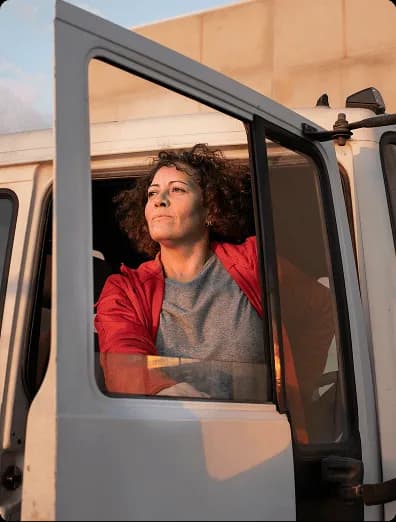
Focused on trucking since 2016. We built our ELD in 2017 to meet the federal mandate. Compliance is the only thing we do.
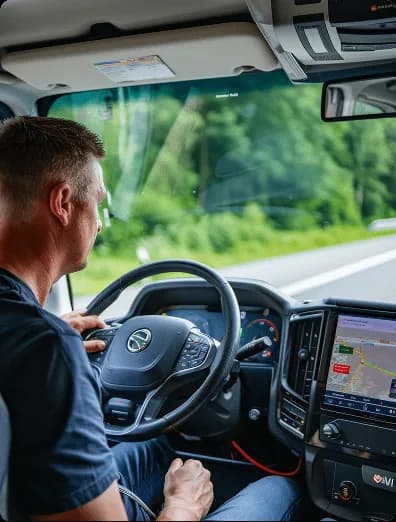
One platform, one bill. ELD, GPS, fuel and temperature sensors, and cameras run on the same dashboard, not 3 or 4 logins.
Support you can reach. Phone, email, and WhatsApp from a US-based team, on a month-to-month plan.

ELD questions carriers ask before they buy
Straight answers on the registered list, in-cab cameras, personal conveyance, and what happens when signal drops.
1. "FMCSA-registered" is on your page. Did the government test this device?
No. No ELD is government-tested before sale. The vendor self-certifies against the FMCSA spec and adds the device to the registered list; FMCSA audits later and removes devices that fail. Since the 2025 vetting changes, check yours is still listed. The P3TS is.
2. What if FMCSA removes my ELD from the registered list?
Your past logs stay valid. FMCSA then sets a changeover deadline, usually about 60 days, to switch every truck to a compliant device. Running a de-listed ELD past that date counts as having no ELD. If we supplied it, we replace it before the deadline.
3. Does the ELD put a camera in my cab or record video?
No. The ELD records engine and Hours of Service data only, with no camera and no microphone. In-cab and road-facing cameras are a separate, optional product. You can run the ELD for years without one.
4. Can drivers still use personal conveyance and yard moves?
Yes. The driver picks the category in the app and the ELD logs it correctly with the annotation FMCSA expects. It does not block the feature, but misuse shows in the data, so run a weekly self-audit.
5. If my dispatcher edits a log, will a DOT auditor see it?
Yes. Every edit keeps the original value, who changed it, when, and why. A carrier can propose an edit, but the driver must accept it, and engine-recorded driving time cannot be edited to non-driving. Auditors see the full history.
6. What happens to my logs in a cell dead zone?
Nothing is lost. The ELD records on the device and syncs when signal returns. For a roadside check during an outage, the driver shows the screen and transfers the file by USB or Bluetooth, so it works fully offline.
Ready to simplify ELD compliance?
Talk with our team about FMCSA-ready devices, fleet rollout, and ongoing support tailored to your operation.